
HydroFX GPU Solver 1.5
a GPU accelerated standalone water solver application
We’re excited to release HydroFX v1.5!
HydroFX is a standalone high quality fluid simulator featuring a brand-new, GPU-accelerated FLIP fluid solver for water simulations. Designed for Windows and Nvidia GPUs, HydroFX delivers fast simulations and beautiful results and ongoing optimizations are planned.
And HydroFX just got upgraded with a huge speed improvement: simulations are now up to 2x – 2.5x faster!
You can import geometry in formats such as Alembic or OBJ and use them as emitters, colliders and forces. Output your results as “Playblast” previews or cache files in formats like Alembic, VDB, or the newly supported USD for particles.
HydroFX features a streamlined interface based on Storm’s familiar UI, making it easy for existing users to get started right away. For newcomers, the Storm Tutorials section provides a helpful introduction to the basics.
It supports a fast viewport, keyframe and expression controls, forces, preview exports and more.
HydroFX is a simplified, node-free version of Storm, focused on delivering powerful fluid simulation with ease of use. We look forward to your feedback as we continue to enhance performance and add new features.
This release is the first milestone update to HydroFX, with many performance optimizations, improved simulation quality, less memory usage and bugfixes.

Get HydroFX
What’s New:
FLIP Solver
The new FLIP Fluid water solver is written from the ground up.
Simulate any collisions and interactions with your animations and use geometry forces to shape your liquids.
You can output surfaces directly for getting first renders out quickly.
Increasing resultion will keep general motions of your sim.
It’s possible to run white water sims with foam, bubbles and spray too.
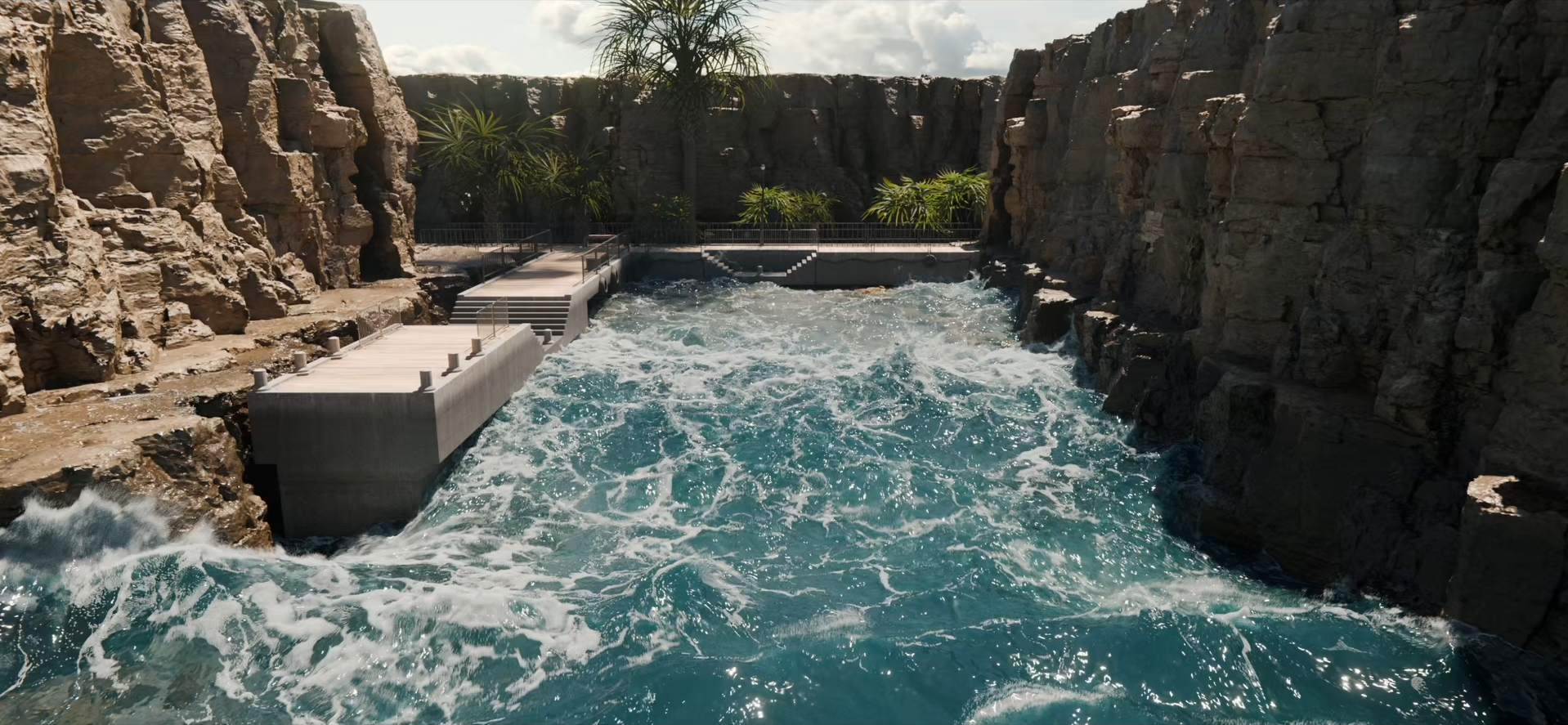
Rendering by CG-Man aka Kevin
GPU Accelerated!
Utilizes modern Nvidia GPUs to achieve
significant speed improvements over traditional CPU-based solvers.
An adaptive domain helps to keep memory low and speeds fast.
The HydroFX scene files of the pier scene are included with HydroFX now!
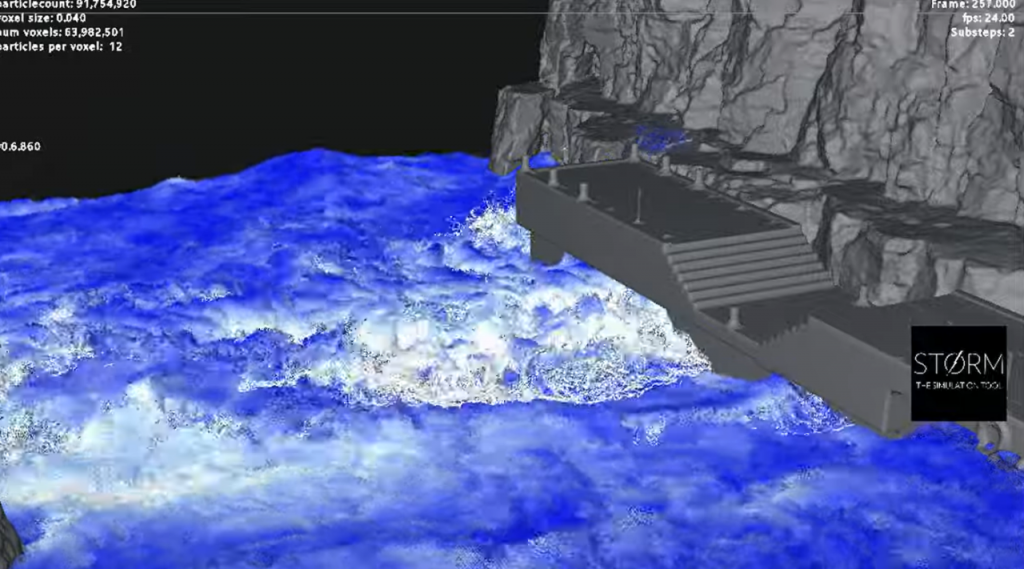
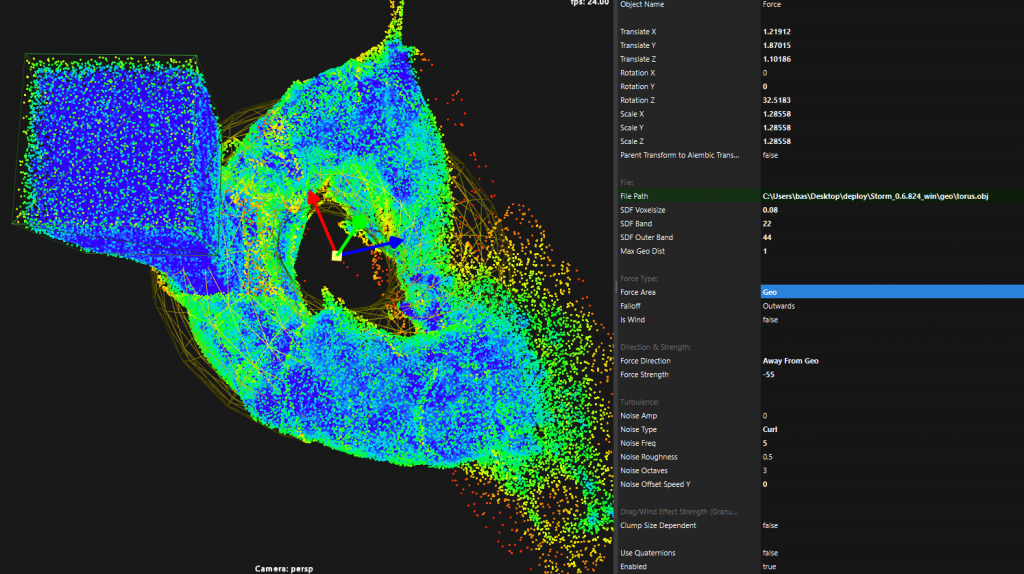
Interactivity
Interact with the sim while it is running!
Foam, Bubbles and Spray
Whitewater effects have recently gotten improved, allowing you to quickly add millions of spray, foam and bubble particles during your sim.
The new Whitewater System object also allows to simulate whitewater in a separate pass!

You can find more info about recent updates here
HydroFX Demo Clips
See here some first results generated with HydroFX’s new GPU FLIP solver


simulations and renderings by Jeremy White (@jeremywhitefx)
Features
Fast FLIP Solver
Fast iterations and results by using GPU acceleration and adaptive domains. Made for realistic water effects, large scale as well as small scale!
Accuracy
Striving for realistic and believable simulation results with sub-voxel accuracy.
Whitewater
Add foam, bubbles and spray with only a few clicks.
Performant Viewport
Multi-million particles and high-res meshes are handled with ease and a reduced UI lets you focus on the shot at hand.
Fast I/O with USD Support
Import and export abc, vdb & usd formats… and more!
Ease of Use
A simplified, reduced and non-cluttered interface for focused workflows.
Test out sims in lower res and when you’re ready up the resolution to add more detail while keeping a similar general motion.
Geometry Forces
For affecting water with any shape.
Quick Volume Surfacing
For getting rendered preview results faster.
Smoother Viewport & UI
For smooth interactions and more feedback.
Buy HydroFX
Try HydroFX
Test out the HydroFX demo version for free!
Full functionality except cache writing.
GET IN TOUCH
Ask us any questions you have
FAQ
Installation
Unpack the ZIP file anywhere manually and run the executable inside the bin folder. There’s currently no installation wizard available. Make sure to update your Nvidia graphics drivers to the latest version if there are issues launching. This Beta version currently needs an internet connection for obtaining a beta license.
Please make sure to install the Microsoft VC redist from here else it might not be able to launch:
https://aka.ms/vs/17/release/vc_redist.x64.exe
What’s the difference to Storm?
HydroFX is a separate tool to Storm. It only focusses on the FLIP water solver and doesn’t offer other solvers, like the granular solver and no procedural nodegraph to keep things straightforward.
Supported Platforms
Currently Storm HydroFX runs on Windows with an Nvidia GPU (the earliest tested is a Geforce 1080). Please feel free to try it on your platform.
Do you provide support?
Support is provided in our Discord server as time permits. Usually other users are around to ask too! 🙂
Visit our Community site.
Will it get improved?
Yes! It’s planned to improve the speed of the Storm HydroFX FLIP solver over time and also add more features to it as well.
How to import and export from HydroFX?
HydroFX can load geometry in the Alembic (*.abc) and OBJ (*.obj) file formats.
To write simulation data out of Storm HydroFX the following formats are available:
– particles in Alembic (*.abc), USD (*.usd) and PRT (*.prt) file formats.
– volume preview surface in OpenVDB (*.vdb) format.
– meshes in Alembic and USD formats
What’s the performance?
HydroFX is currently an offline simulator. It’s planned to improve on this in the future.